If you run a small water system, a rural co-op or a hamlet with a few dozen connections, you already know the problem. Nobody is on-site around the clock. The tank, the well pump, and the lift station mostly look after themselves, right up until the moment they do not. You usually find out the hard way, when a member calls about no water, or you arrive for a routine check and discover something failed hours ago. The frustrating part is that the technology to prevent this has existed for decades. It is called SCADA, big municipal utilities run it, and for a system your size it has always been out of reach. This article walks through what you actually need, why the old options did not fit, what changed, and a low-pressure way to find out whether it fits your system.
In This Article
- What you actually need (it is less than you think)
- Your real options, side by side
- How it connects to your equipment
- Seeing the system from your phone
- Getting told when something is wrong
- Looking back at history
- A realistic way to find out if it fits
- The bottom line
What You Actually Need (It Is Less Than You Think)
When operators say they want monitoring, they almost always mean something simple:
- See the current state. Tank level, whether a pump is running, basic readings, from a phone or a laptop, without driving out to the site.
- Get told when something is wrong. A message when a tank drops below a safe level or a pump stops, so a problem at 2am is not a discovery at 7am.
- Look back at history. So you can see that a pump has been cycling more often than it used to, or that levels dropped overnight.
That is the core of it. You do not need a control room. You do not need a six-month project. You need eyes on the system and a heads-up when it matters. The rest of this article is about how much of that is realistic for a small system today, and which parts come with caveats worth knowing up front.
Your Real Options, Side by Side
For a system your size there have really been two options, plus a third that only recently became practical. Laying all three next to each other is the fastest way to see where each one fits.
Traditional SCADA, the big-utility kind that Ignition and its peers do so well, handles everything you need and far more. It is genuinely excellent software. The catch is that the cost and complexity assume a budget and a technical staff that small co-ops do not have: tens of thousands of dollars up front, a system integrator to design and install it, and ongoing licensing and support fees. That math does not pencil out when you have forty connections and a volunteer board. It is aimed at a much larger operation than yours.
The do-it-yourself route, an operator wiring sensors to a hobby controller or pressing a home-automation tool like Home Assistant into service, can be genuinely cheap, and some clever operators have made it work. But it is fragile, and it depends on the one person who built it. When that person retires or moves on, nobody else can maintain it. For something as critical as drinking water, a system that works only as long as a specific person is around is a real risk, and operator turnover is one of the biggest challenges small systems face right now.
ControlBird, the platform we make, was built for the gap those two leave open: the real monitoring features of full SCADA, at a price a small system can actually afford, without needing an engineer to run it. Two things make that possible:
- It is not a capital project. ControlBird Cloud hosts it for you with no per-device fees, and the Community edition can be run yourself. Both are free for personal use; commercial use requires a license: contact sales@controlbird.io.
- You can set it up yourself. Visual, drag-and-drop screens instead of programming, so you are not waiting on an integrator to make a change.
The most important question to ask of any monitoring setup is whether someone who did not build it can pick it up. When the configuration lives in software, not in one person's head or a hand-built box, the next operator inherits a system they can actually run.
How It Connects to Your Equipment
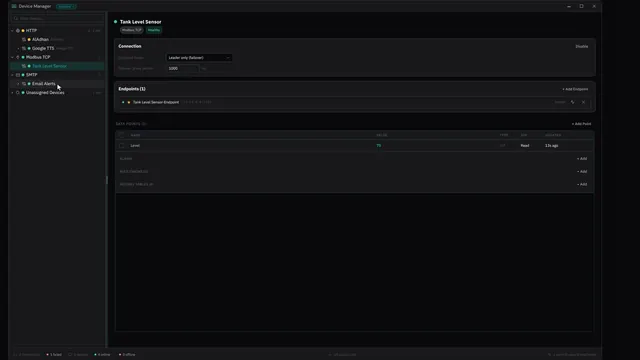
None of this matters unless the software can actually read your equipment, and the good news is that it usually can, without any custom wiring. If your tanks and pumps use common industrial connections, ControlBird reads them directly. The most common one in water is Modbus, which a great many level sensors and pump controllers already speak, and it is supported in Community Edition. ControlBird also speaks DNP3 and BACnet, the protocols you see on larger utility and building equipment. Either way, there is no proprietary hardware lock-in. You point the software at your equipment, build a simple screen showing your tanks and pumps, set the levels that should raise an alarm, and tell it who to notify.
Look for anything that mentions Modbus, DNP3, an Ethernet port, or a serial connection on your tank sensors, pump controllers, or PLCs. If it is there, software can probably read it. If your equipment is fully manual with no sensors, you would need to add basic sensors first, which is a separate and smaller conversation.
Seeing the System From Your Phone
The first thing most operators want is to stop driving out just to check a level. In ControlBird you build a screen once with a drag-and-drop layout editor: drop a gauge for tank level, a status indicator for the well pump, a reading for the lift station, and arrange them however makes sense to you.
Those screens are responsive, with separate layouts for desktop, tablet, and phone, so the same dashboard that looks right on a laptop also reads cleanly on the device in your pocket. The editor itself runs on a phone too, so you can adjust a screen from the truck, not just from the office. No code, no programming, no integrator.
Getting Told When Something Is Wrong
Seeing the system matters, but the real value is not having to look. This is the part worth being precise about, because it is easy to oversell.
You set a threshold, for example a tank below a safe level or a pump that has stopped. When the condition is met, ControlBird raises an alarm, tags it with a severity so a low tank reads differently from a critical one, and sends an email to the people you choose. An operator can acknowledge the alarm, which records that someone has seen it, and shelve a known condition for a set time so it stops adding noise while you deal with it.
To be clear about what this is and is not: alarm delivery today is by email, not automated phone calls or text messages, and acknowledging an alarm records that an operator has seen it rather than resolving the underlying condition. For a small system, an email the moment a level crosses the line is the difference between a heads-up tonight and a discovery tomorrow morning. Just know that the people who need to act on it should be people who watch their email.
You do not have to monitor everything at once. Pick the single failure that would do the most damage, usually a tank overflow or a dry well pump, and set up one alarm just for that. Prove it to yourself before expanding.
Looking Back at History
Live readings tell you what is happening now. History tells you what is changing. A pump that used to cycle a few times a day and now cycles every twenty minutes is telling you something before it fails. Levels that quietly dropped overnight point you at a leak you would otherwise chase blind.
ControlBird records this in a built-in historian, so you can chart a tank or a pump over hours, days, or weeks and actually see the trend. The historian runs on the self-hosted Community edition and on ControlBird Cloud, so this kind of trend chart is there whichever way you run it.
A Realistic Way to Find Out If It Fits
You do not need to commit to anything to figure out whether this is worth it. A sensible, low-pressure path:
- Check what you have got. Do your tanks, pumps, or controllers have any networked connection, anything that mentions Modbus, DNP3, or an Ethernet or serial port? If yes, software can probably read it.
- Try a demo on your own time. You can click through a live demo without booking a sales call, and see whether you can picture your own system in it.
- Run the Community edition yourself. If you would rather host it on your own hardware, the Community edition, free for personal use, starts with one line:
curl -fsSLO https://controlbird.io/compose.yaml && docker compose up -d
The Bottom Line
Small water systems have been stuck choosing between SCADA they cannot afford and going without. That gap is closing. The point is not that every co-op needs to rush out and buy monitoring software. It is that "we are too small for this" is no longer true the way it was even a few years ago.
If the 2am tank problem is something you have lived through, it is worth an afternoon to see what has changed. Click through the live demo, picture your own tanks and pumps in it, and start with the one alarm that would have saved you the worst call you have taken.
Get Started with ControlBird
Deploy your first instance in under two minutes. ControlBird is free for personal use.
Explore the Docs →